Is it worth crafting? ForgeFlow, a crafting and auction addon for WoW Forever
ForgeFlow is a free WoW Forever addon that connects recipes, material routes, auction prices, selling and a private ledger in one flow. Like Slop, I'm building it with AI.
Leveling professions in WoW Forever always comes with the same questions. Will this make a profit? Is it cheaper to buy the materials, or to craft the intermediate ones myself? Between the calculator and trips back and forth to the auction house, there isn’t much time left to play. So I’m building ForgeFlow, an addon that turns that whole process into one flow. Like Slop, I build it together with AI tools such as Claude Code and refine it by playing with it in game. The screenshots below are from the Korean client; the addon also runs in English.
Workshop: check the profit before you craft
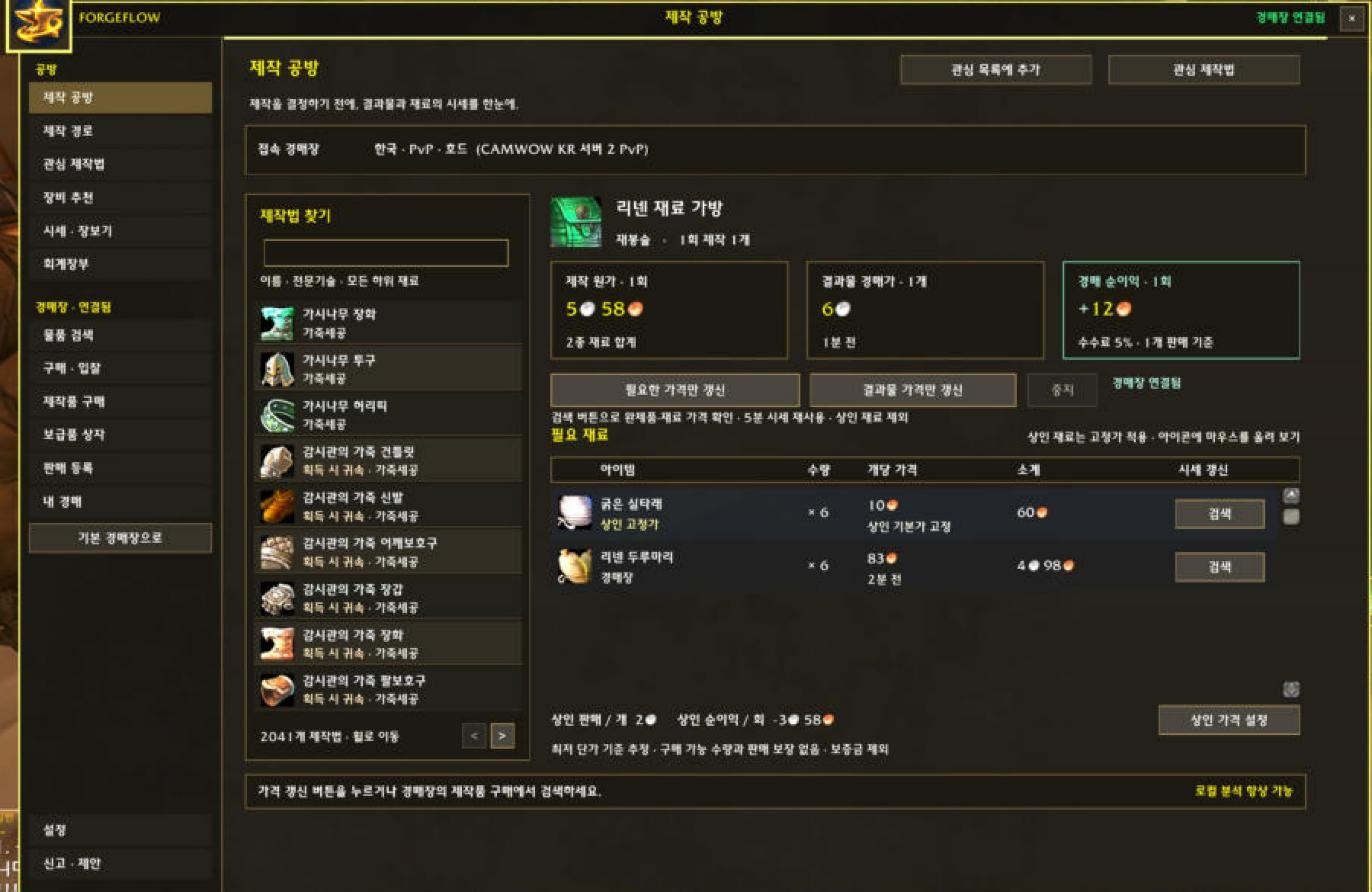
Pick a recipe and you see crafting cost, the auction price of the result, and net profit after the auction fee at a glance. Each material shows whether it’s a fixed vendor price or an auction price, and when that price was checked. Prices are looked up only for the items you need and reused for 5 minutes. ForgeFlow never scans the whole auction house.
Crafting route: buy or craft?
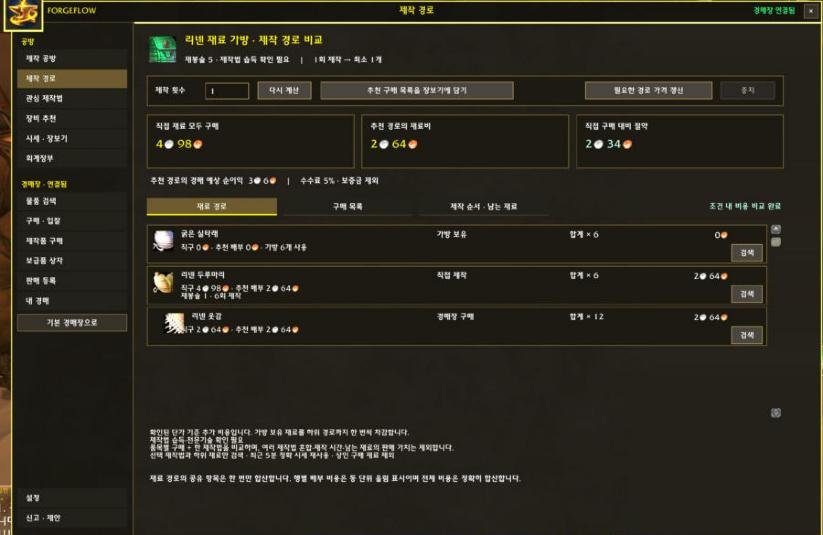
Expand the material tree to compare “buy everything” with “craft the intermediates yourself.” Materials already in your bags are deducted, and repeated materials are combined. In the screenshot you can see right away that making Bolts of Linen Cloth from cloth instead of buying them saves over 2 silver. The missing materials for the recommended route go into your shopping list with one button.
Auction house: only what you need, on your click
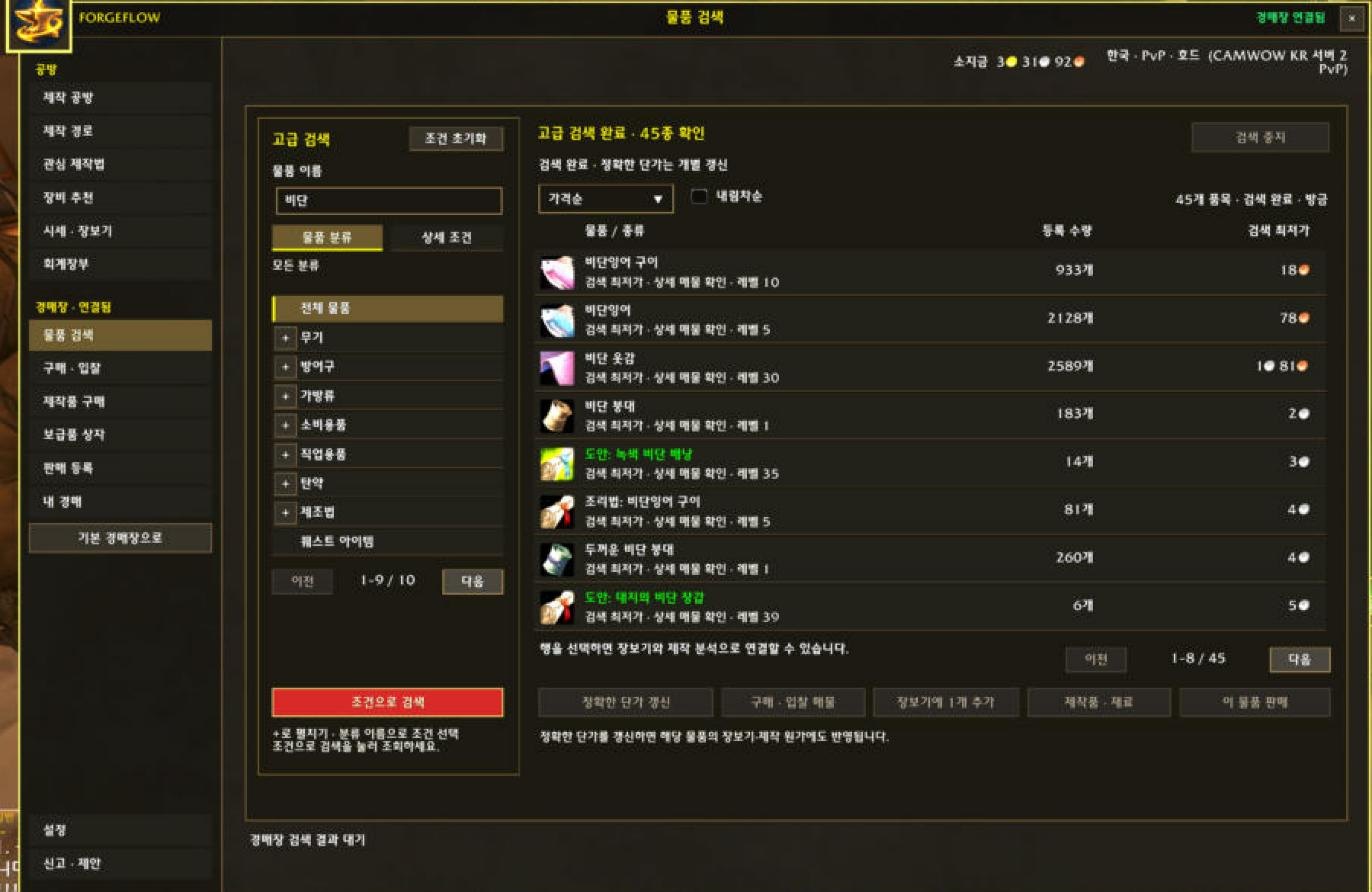
The auction pages (search, buy and bid, buy crafted items, sell, my auctions) open only while you’re talking to an auctioneer. From search results you can add an item to your shopping list, jump to crafting analysis, or go to the sell screen. When selling, you set your price with competing listings right beside the form.
Trading is built to be safe: buying, selling and cancelling happen only when you press the final button yourself. The addon never buys or sells on its own.
The newest page handles Waylaid Supplies crates. For the crates in your bags it searches only the materials and quantities they accept, compares the total cost of each option, and marks the cheapest one. Press buy and the purchase screen opens with the missing quantity already filled in.
Inside the game’s profession window
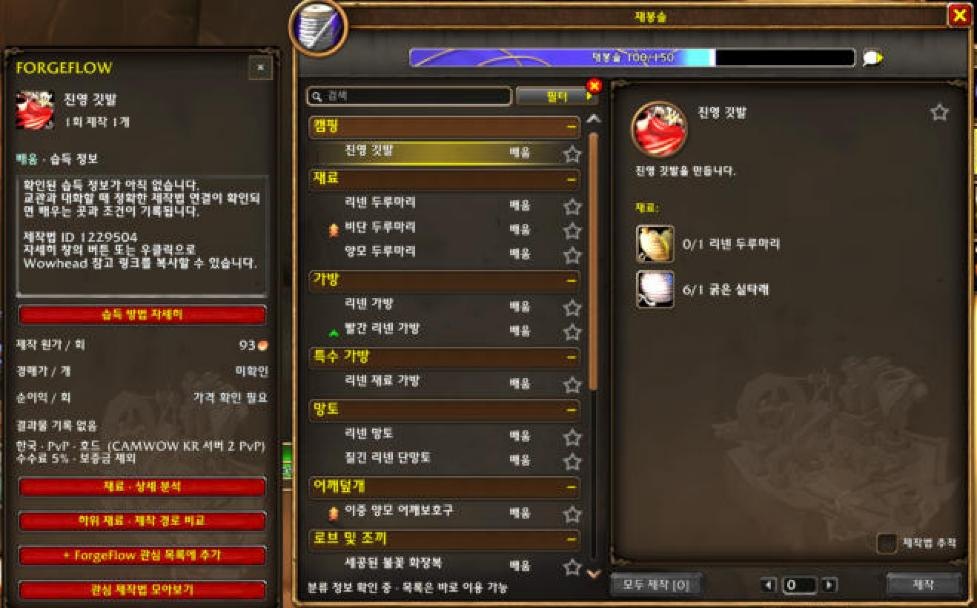
A ForgeFlow panel sits next to the game’s profession window and shows the selected recipe’s cost and how to learn it. The list also includes recipes you haven’t learned yet, so you can plan what to learn next. Recipes with no item output, such as enchants, are listed with their materials too.
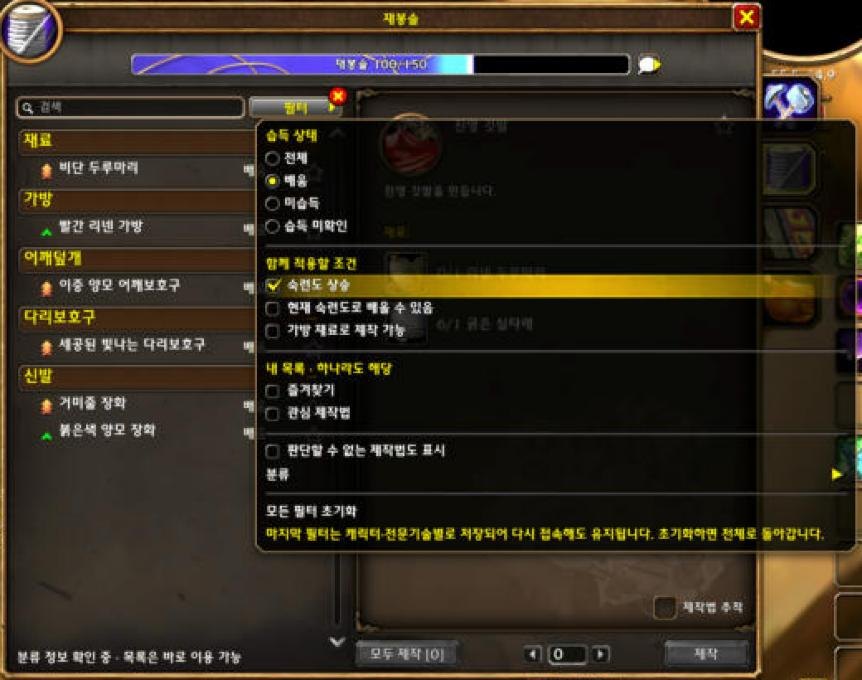
The filter changed a lot as I used it. You pick the learning state right at the top, and skill-up, learnable at your current skill, and craftable from bag materials all apply together (an intersection). Turn on “unlearned + skill-up + learnable now” and you’re left with exactly the recipes a trainer can teach you right now that will raise your skill. Favorites and interest recipes show a recipe if it’s in either list (a union). Your last filter is remembered per character and profession.
Recipe data is checked every day
Every day the recipe list is compared with the newest Forever client build and the public profession lists. When something changed, the update is tested and prepared. Leftover recipes from an older season whose results can’t be confirmed are kept out.
Try it
- It’s free. Get it on CurseForge. It runs on WoW Forever 1.60.1 in English and Korean.
- Open it in game with
/forgeflowor the minimap button. - If you like, the Windows Companion connects it to the ForgeFlow website to back up your private ledger and browse the crafting catalog on the web. The addon works fully without it.
The Waylaid Supplies page and the new filters in this post are in version 0.9.1, which is under review on CurseForge right now. If something bothers you or you want a feature, tell me in the CurseForge comments or on the ForgeFlow support page. Just like on Slop, I’ll take the feedback and grow it into the next version.
ForgeFlow is on Slop too: the addon and the Windows Companion. Try them and judge whether they are gems or slop.